Installation
Setting up your Beacon Arcade is quick and easy. Follow these simple steps to get started with your lighthouse training.
Setup
- Connect a standard USB-A to USB-C phone charger to the Beacon Arcade.
- Use your WiFi enabled device (Phone/Tablet/Computer) to connect to the "BeaconArcade" network.
- Open a browser and navigate to
192.168.4.1 - Select the light characteristic you want to visualize from the control panel.
Rotation
The light characteristics that can be shown by simulating a rotating type lighthouse have a "Rotation slider". Once enabled, the lighthouse will simulate a rotating light for an even more realistic training experience.
Sectors
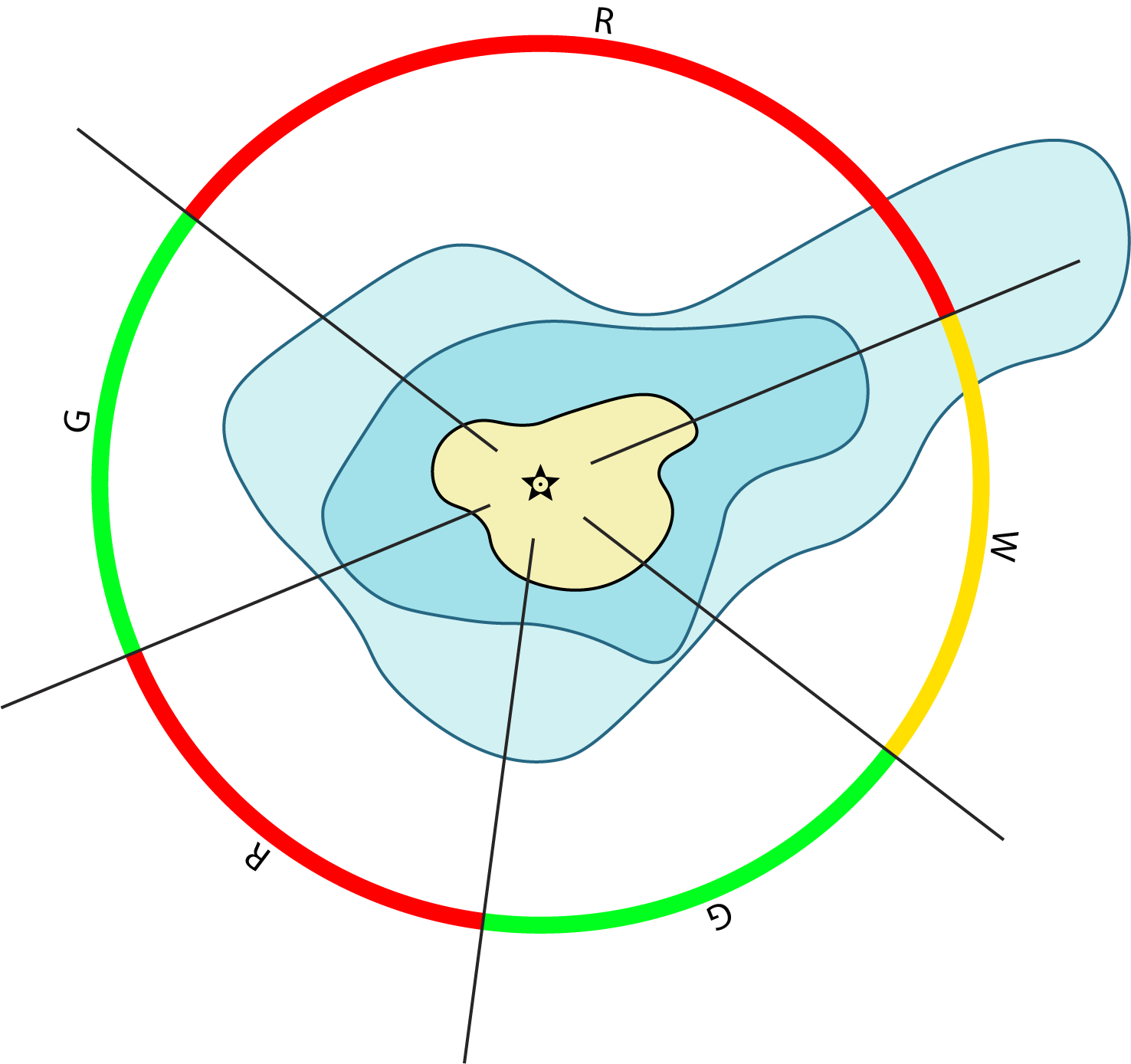
Some of the characteristics have sectors. All of them follow the same pattern and would look like this in a nautical chart:
💡 Tip
The Beacon Arcade creates its own WiFi network, so you can use it anywhere — on your boat, at the sailing club, or even at home preparing for your next navigation course. No internet connection required!
Need Help?
If you encounter any issues during setup or have questions about using your Beacon Arcade, please contact us at: info@beaconarcade.com